
LedgerBuddy for iPhone, for bookkeepers
LedgerBuddy for iPhone is the companion to the LedgerBuddy web app. It shows which clients have Xero transactions without a receipt, lets you chase them, and lets you check and approve the receipts that come back, wherever you are.
Submitted to the App Store and awaiting Apple’s review, so it isn’t available to download yet. It will be free to download and needs an existing LedgerBuddy practice account. Your clients never need an app.
What you can do on your phone
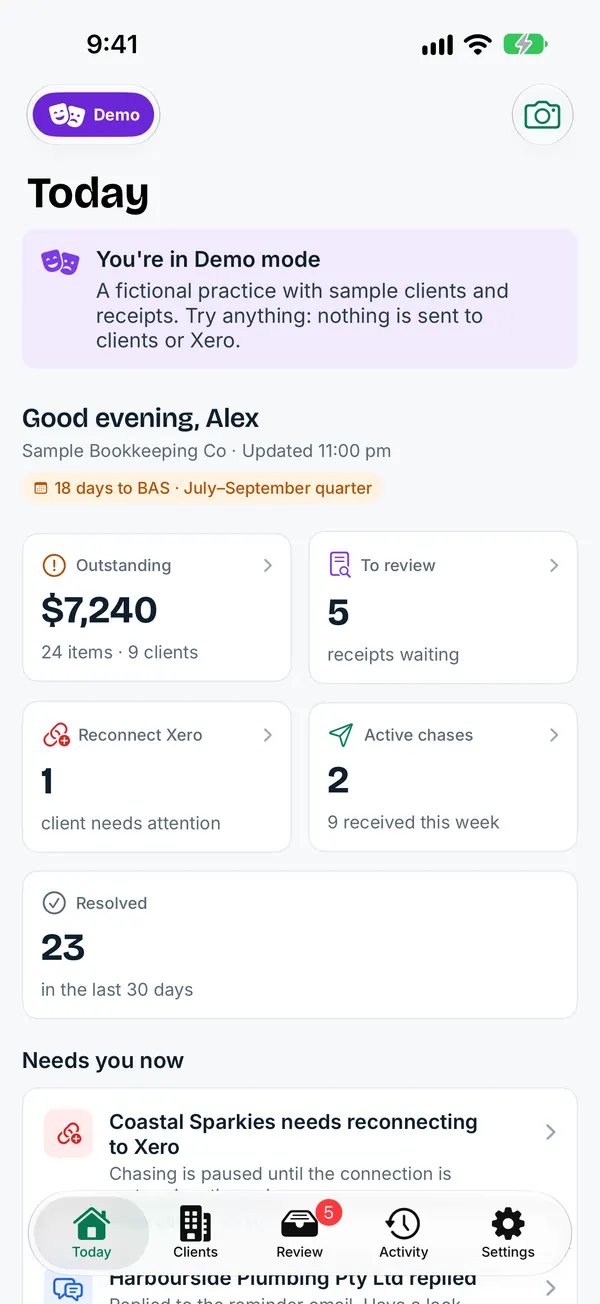
Screens shown in the app’s demo mode, with a fictional practice and sample clients.
Today
What needs doing now: outstanding receipts across clients, receipts waiting for review, active chases, and anything that needs a look, such as a client reply or a Xero connection to reconnect.
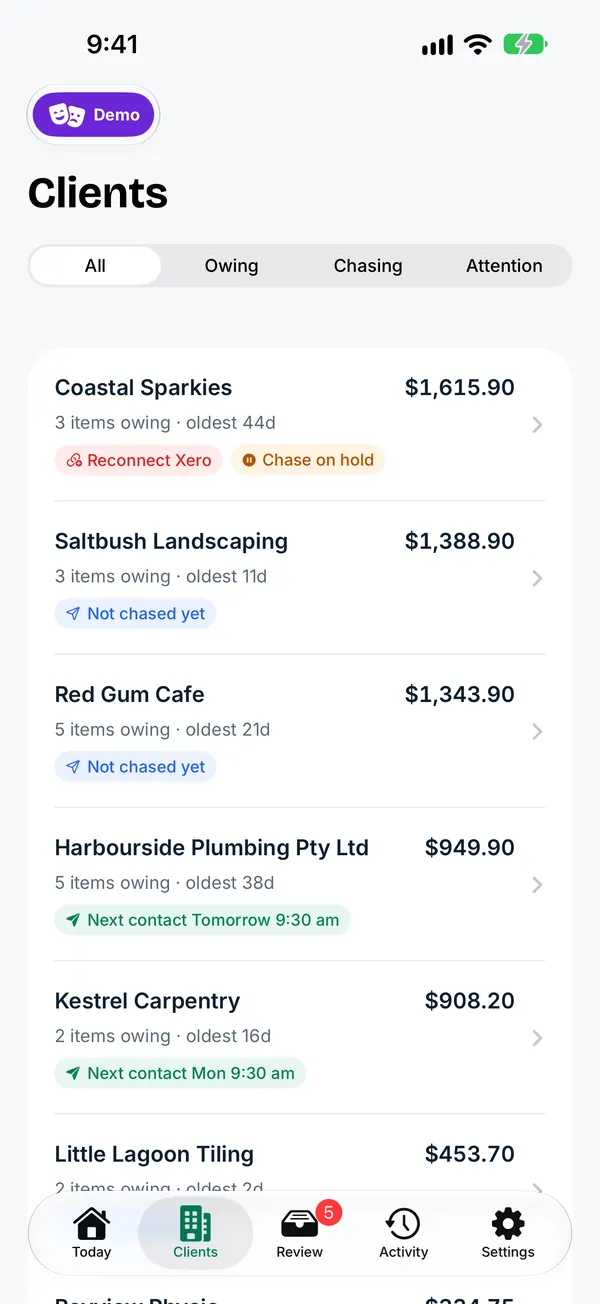
Clients
Every client file with what it owes and its chase status. Filter to clients who owe receipts, are being chased or need attention.
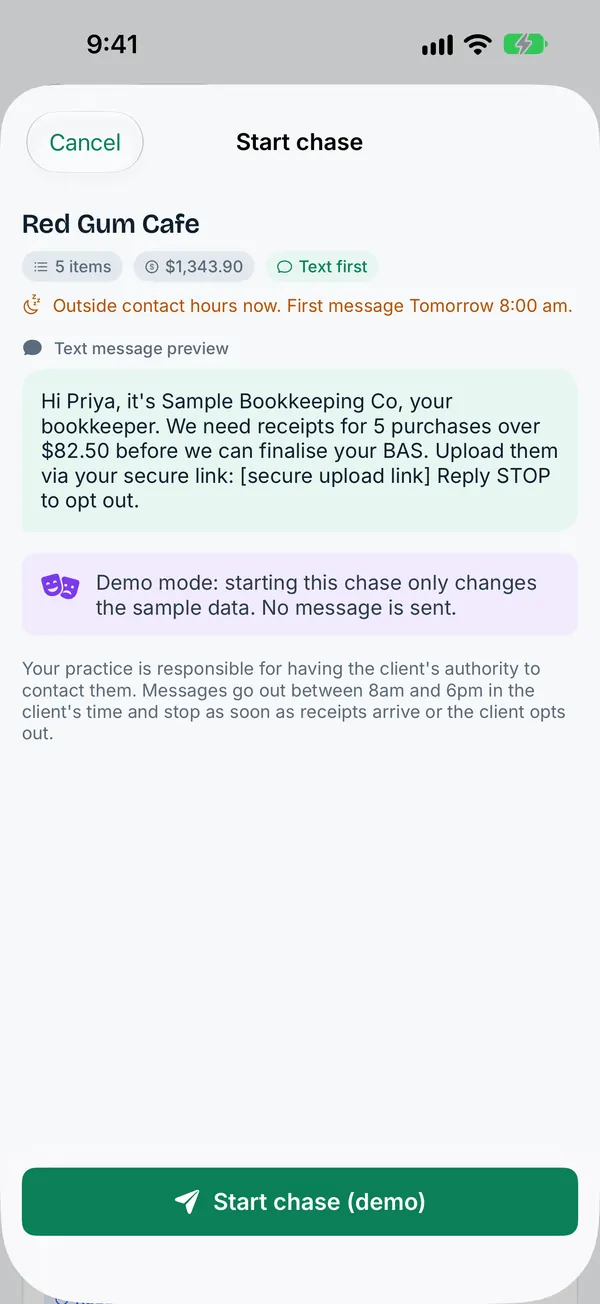
Start a chase
Open a client, leave out anything that doesn’t need a receipt, preview the exact message and start the chase. The same contact hours, limits and opt-outs as the web app apply.
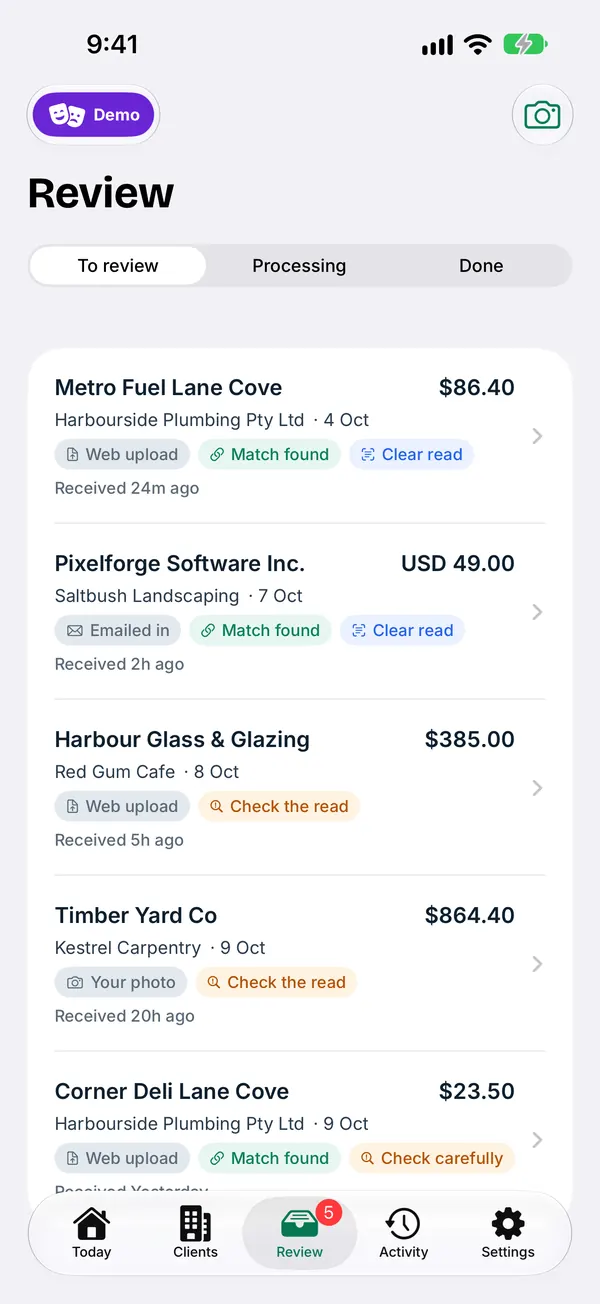
Review receipts
Receipts from clients arrive in one inbox, with the suggested match. Check the read, then approve to attach it to the Xero transaction. Nothing is written to Xero until you approve.
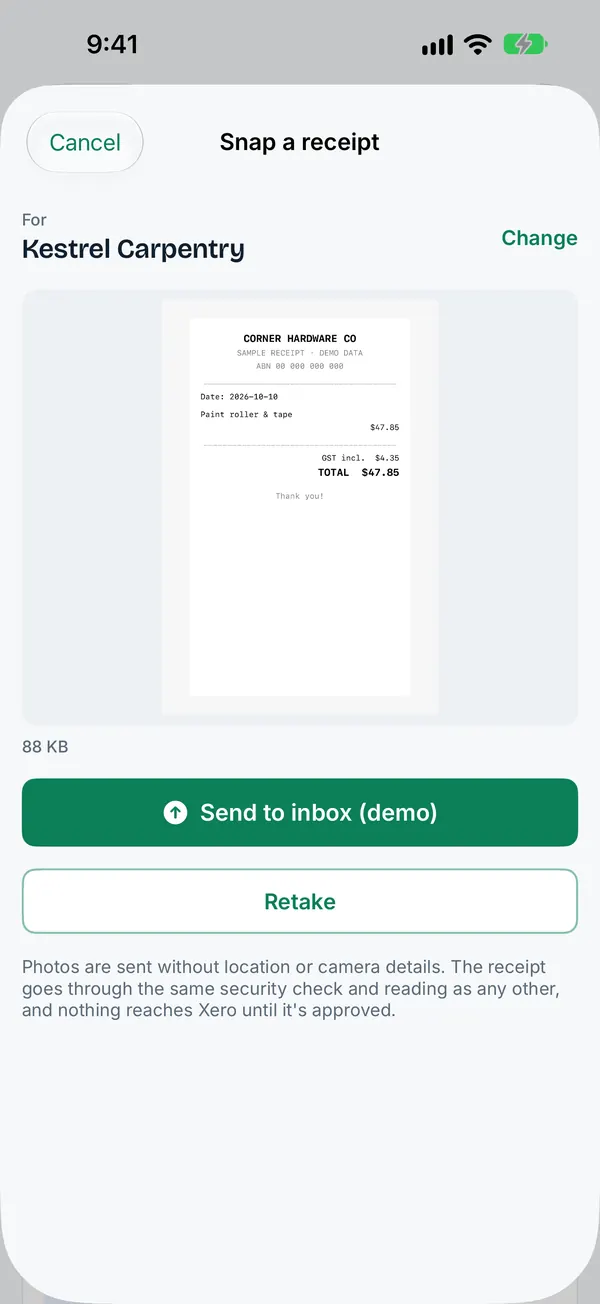
Snap a receipt for a client
Handed a paper receipt at a meeting? Photograph it and choose the client. It goes through the same security screening as client uploads.
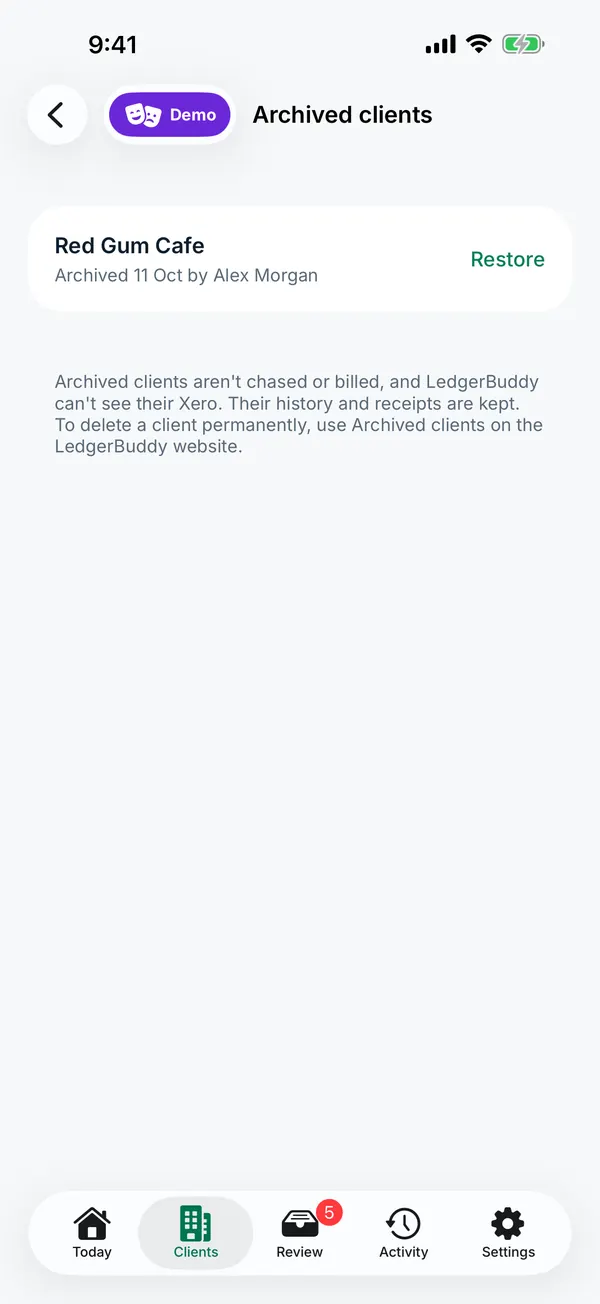
Archive and restore clients
Archive a client you no longer chase. Archived clients aren’t chased or billed and their history is kept. Restore them any time.
Private and secure
- Sign in with your LedgerBuddy email, password and a one-time code, or with Xero.
- Lock the app with Face ID.
- Signing out removes your practice’s data from the phone.
- No advertising and no tracking in the app.
- How the app handles your data.
What stays on the web
Billing, practice settings, user management and connecting or disconnecting Xero organisations are managed in the LedgerBuddy web app at app.ledgerbuddy.com.au.
The app follows the same rules as the web app: automated chasing is switched on per pilot practice during the beta, and LedgerBuddy doesn’t give tax or accounting advice.
Want to use it from day one?
Pilot practices get the iPhone app as soon as Apple approves it.