
How LedgerBuddy chases receipts for your practice
LedgerBuddy finds the Xero bank transactions with no receipt, asks the client for them in your practice’s name, and attaches what comes back once you approve. Here is each step, from your side and your client’s.
Where things stand (October 2026): LedgerBuddy is in a restricted beta that is initially free. Finding missing receipts, the client upload link, document screening and the receipt inbox work today for approved practices; receipt AI and individually approved Xero actions are enabled for approved accounts. Automated text and email chasing is built and is being switched on one pilot practice at a time, after setup, client-authority and safety checks. General automated reminders, voice calls and billing are not available in this initial beta.
Find what’s missing
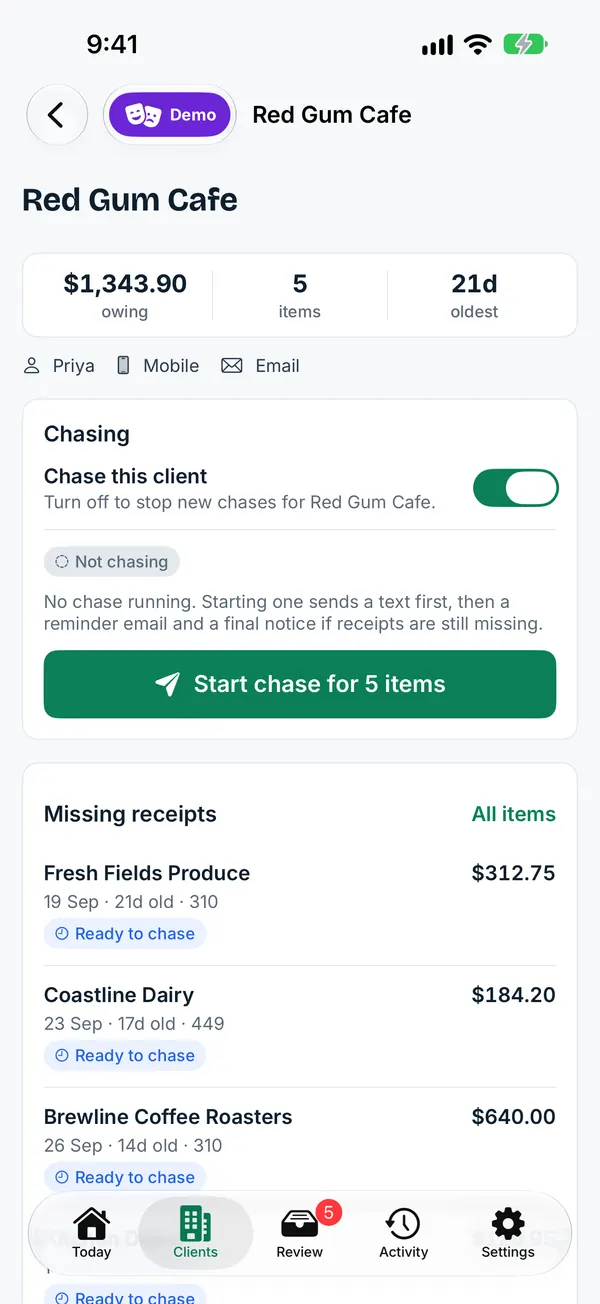
Connect a client’s Xero file once, through Xero’s own approval screen. LedgerBuddy reads the spend money bank transactions and lists the ones with no receipt attached: payee, date and amount, oldest first.
You choose what is worth chasing. Small amounts below your threshold and items that don’t need a receipt can be left out.
Chase in your practice’s name
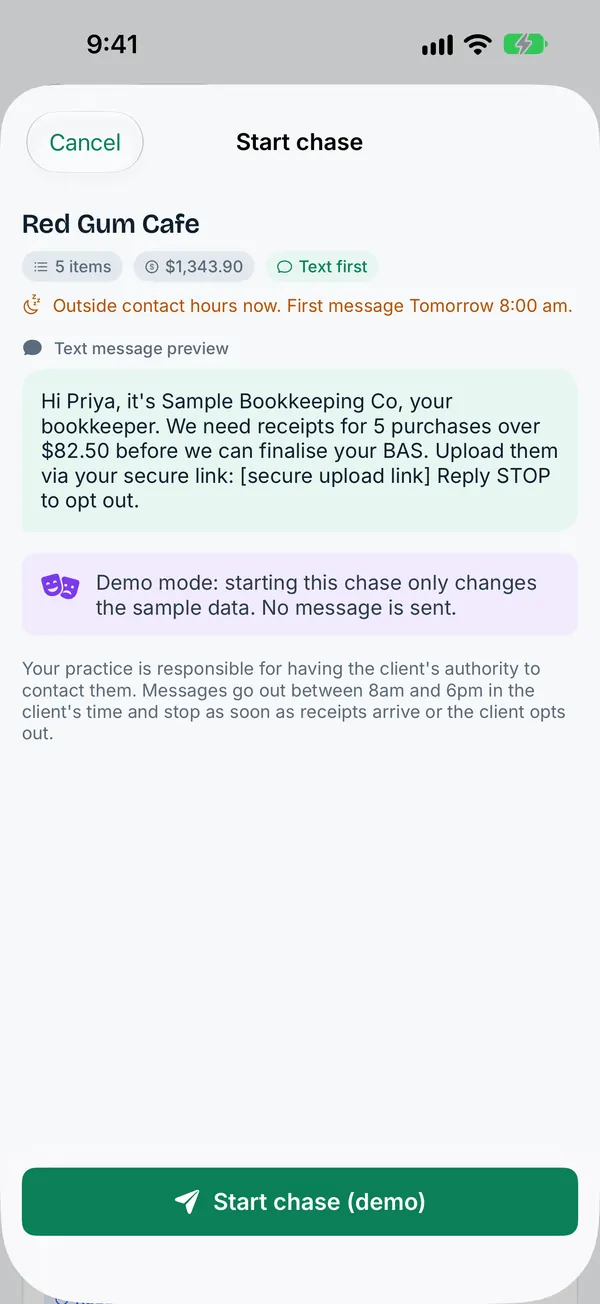
Start a chase for one item or the whole list. The client gets one message, not one per receipt:
| Day 0 | A text message in your practice’s name, with a secure upload link. |
|---|---|
| Day 2 | An itemised email listing only what’s still missing. |
| Day 5 | A final written notice. |
| After that | Anything still missing comes back to your review queue for you to decide. Nothing is coded silently. |
- Every message carries your practice’s name and an opt-out. Opt-outs take effect straight away, on every channel.
- No more than three contacts per client in any seven days.
- Messages only go out between 8am and 6pm on business days, in the client’s time zone.
- The chase stops item by item as receipts arrive, so clients who have sent everything aren’t nagged.
- Every contact, upload and approval goes on an audit trail.
Automated chasing is switched on one pilot practice at a time during the beta, after setup and client-authority checks. An optional AI phone-call step is being finalised; it is not available in the beta and will be off unless your practice switches it on.
Your client snaps a photo
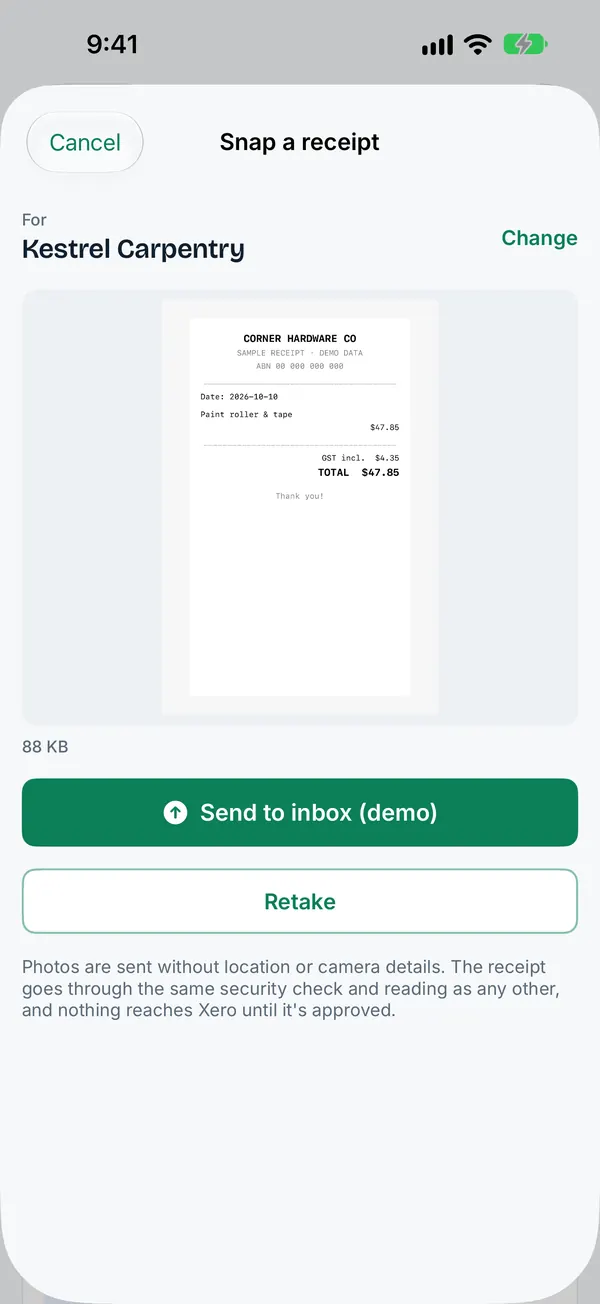
The link opens a simple upload page on the client’s phone. They see only their outstanding items, take a photo or choose a file, and they are done. No app to install, no account, no password.
Every file is security-screened before anyone opens it. Links normally expire after 30 days and can be cancelled earlier. The client can opt out at any time.
Review, approve, attached in Xero
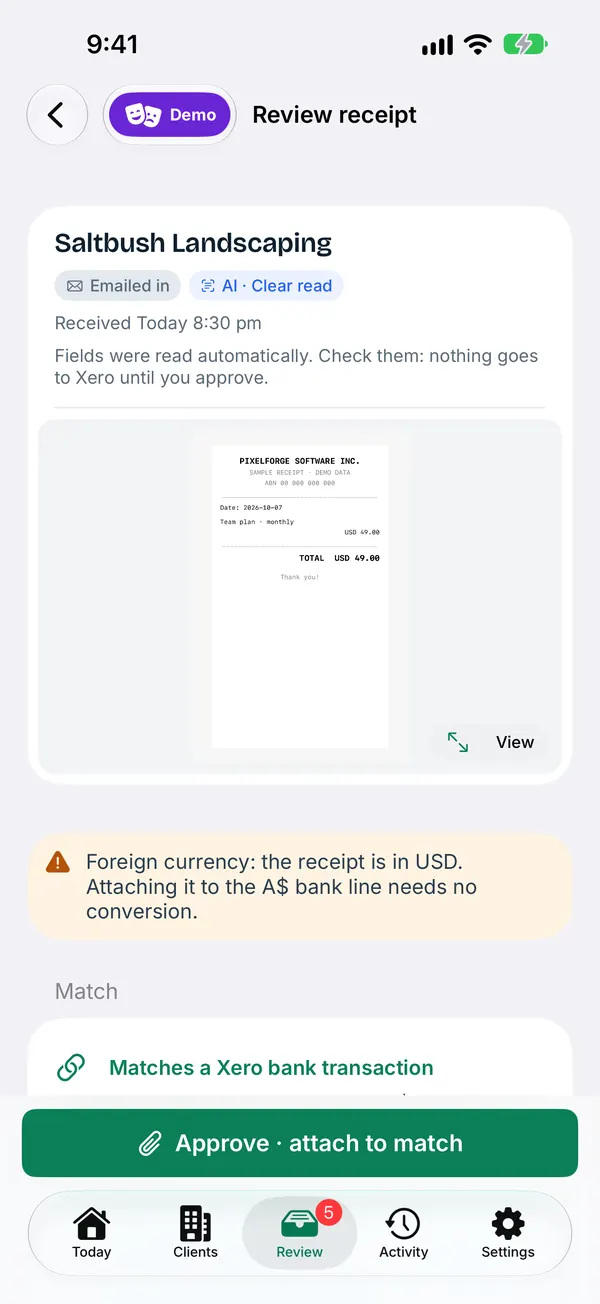
Uploads land in your receipt inbox, matched to the transaction or supplier bill they belong to. Where your practice has switched on optional receipt AI (limited release in the beta), LedgerBuddy reads the supplier, date and amount and suggests the match and account for you to check.
Nothing goes to Xero until a person in your practice approves it. Approve, and the receipt is attached to the matching transaction. LedgerBuddy records it as done only after Xero confirms.
If a client never responds
After the text, the itemised email and the final notice, anything still missing comes back to your review queue. You decide each item. Nothing is coded silently, and every contact is on the audit trail.
What LedgerBuddy doesn’t do
It doesn’t reconcile bank lines, lodge BAS or tax returns, give tax or accounting advice, touch payroll, or create or change sales invoices. Your practice remains responsible for client authority and accounting decisions. LedgerBuddy does not supply a supervising BAS or tax agent.